
Ghost Net POS
Billing, stock, credit, suppliers and reports for your shop. Runs on your own computers and Wi‑Fi, so it keeps working when the internet doesn’t. One-time payment.
Works without internet
Everything runs on your shop's own Wi‑Fi. Billing never stops when the internet does.
Pay once, use forever
A one-time payment. No monthly subscription eating into your profit.
One shop, many counters
Add billing computers on the same Wi‑Fi. They find the main computer by themselves.
Your phone joins in
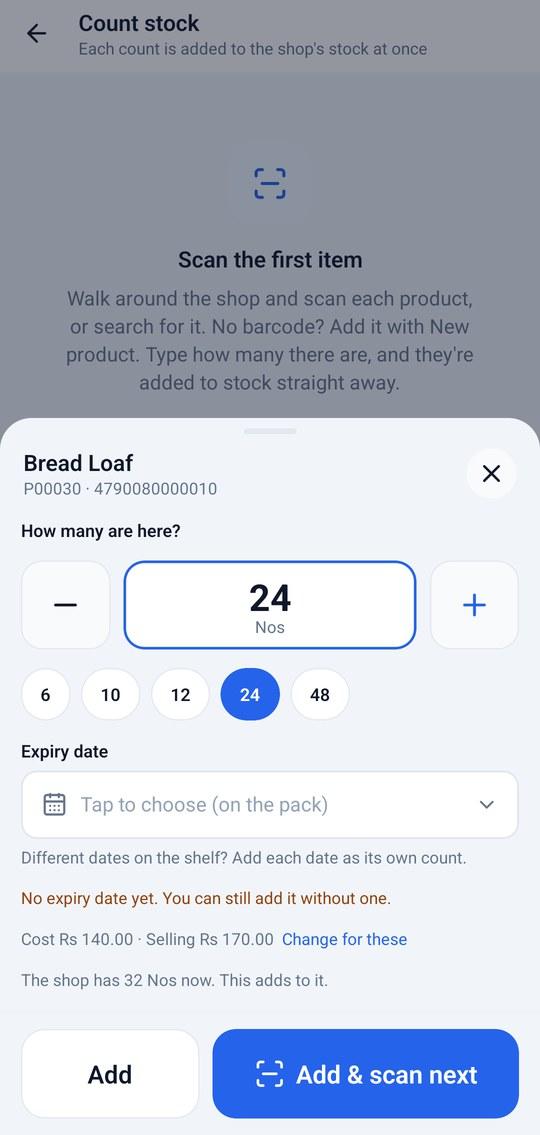
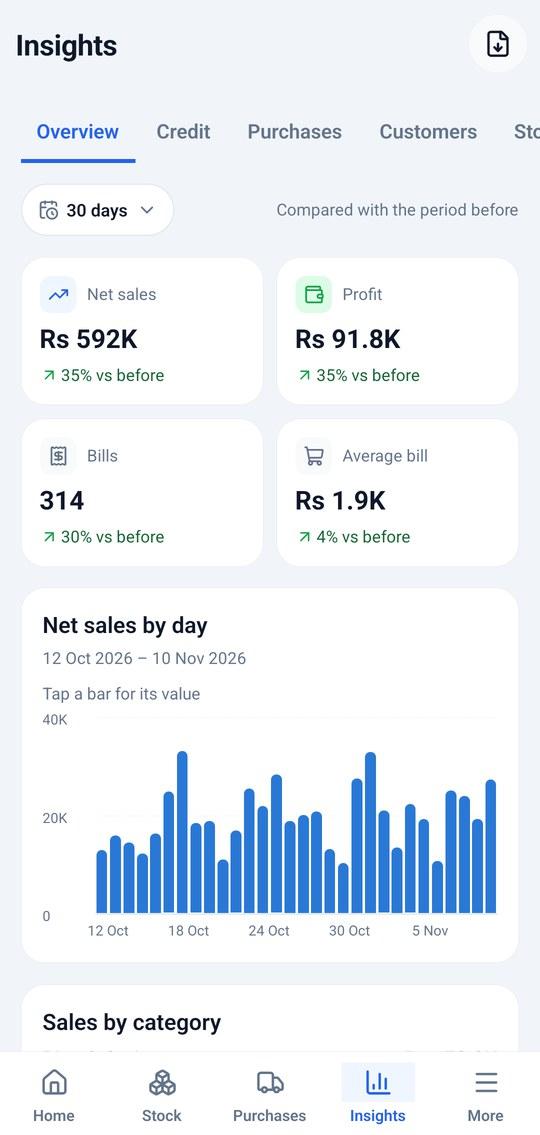
Count stock, receive goods, bill and check sales from an Android phone.
Safe by design
Staff accounts, owner-only screens, and every new device must be approved by you.
Encrypted backups
One click makes a password-protected backup you can keep anywhere.
Take a tour
Real screens from Ghost Net POS
Billing
Fast billing your cashiers learn in minutes
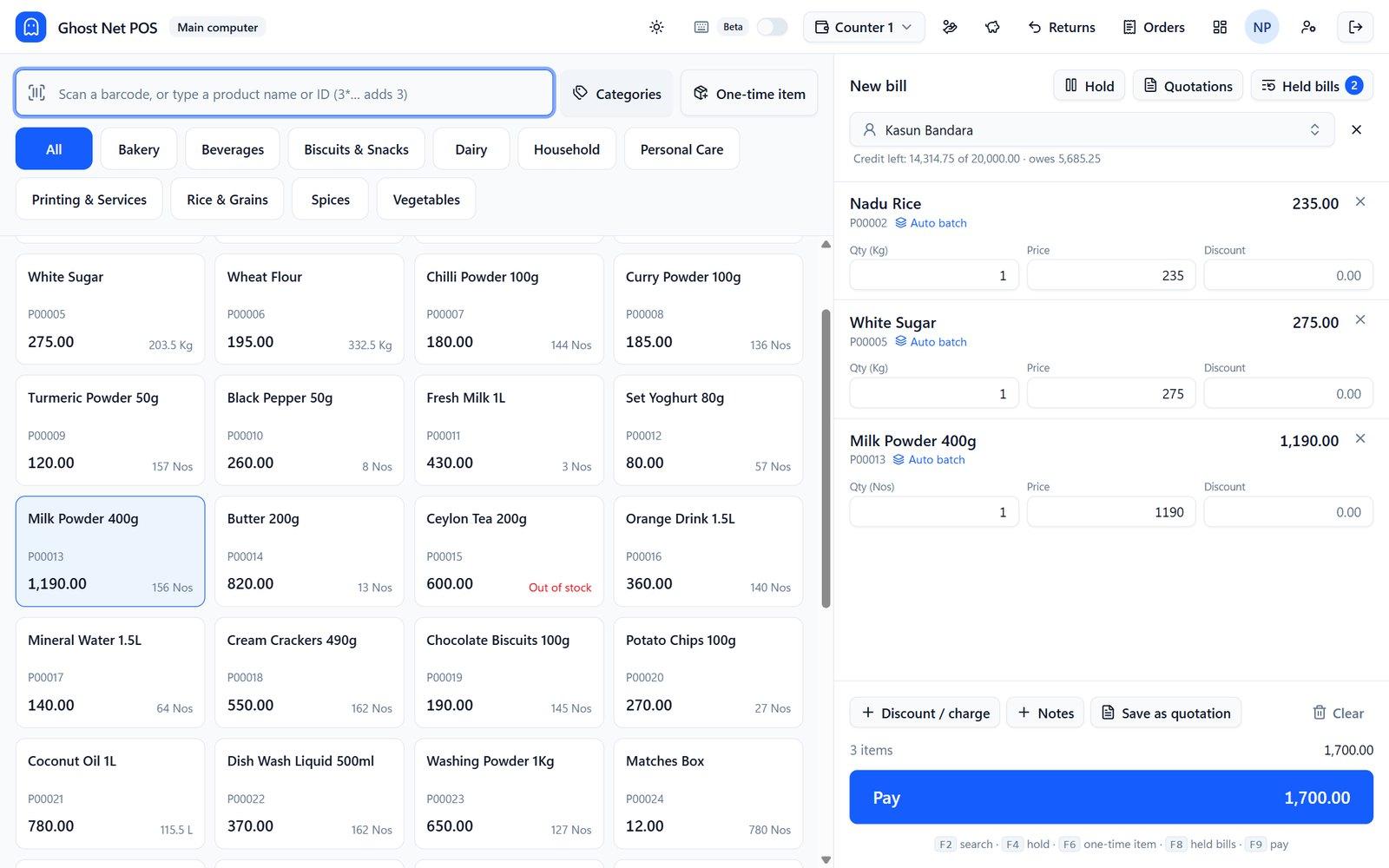
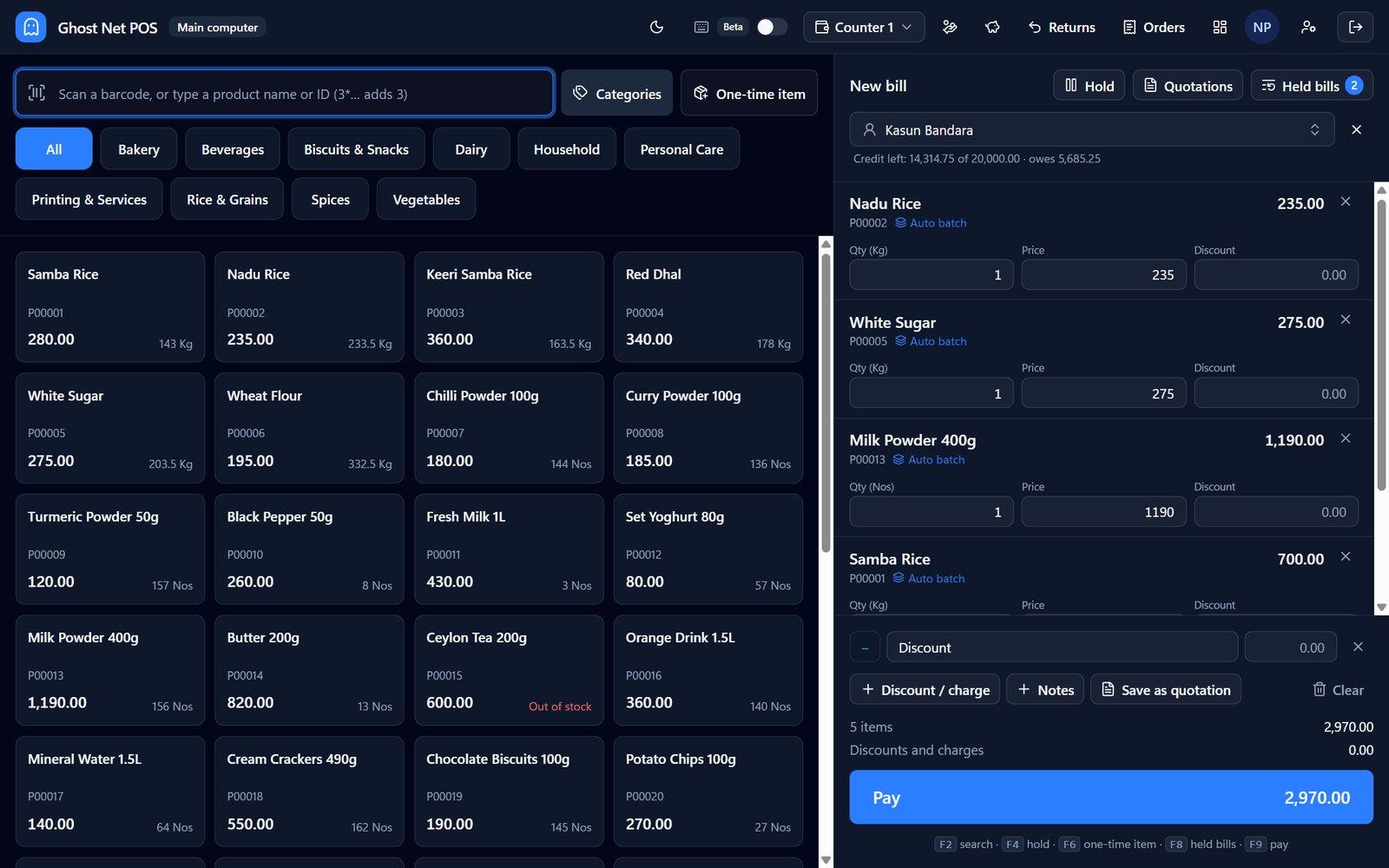
Scan, tap a tile or search. Ghost Net handles split payments, change, discounts, credit customers and held bills.
- Barcode scanner friendly: shared barcodes ask which variant
- Cash, card, cheque, prepayments and return bills
- Hold a bill and serve the next customer
- One-time items for things not in your list
Keyboard mode
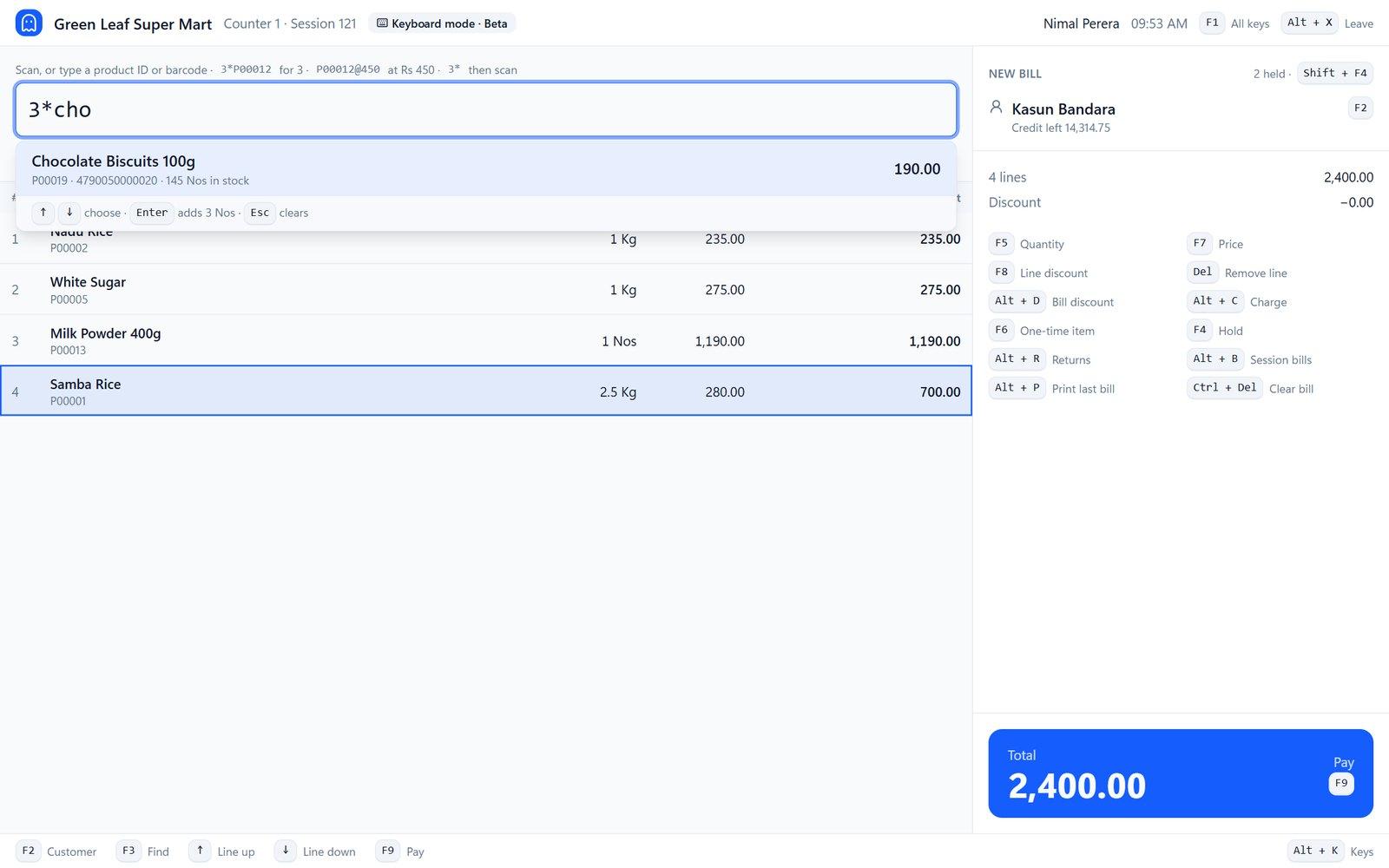
A full-screen keyboard counter for busy shops
Experienced cashiers can bill, take payments and do returns without touching the mouse. You choose the keys.
- Type 3*P00012 to add three
- Keys set once for the whole shop
- Owner approval for reversals
Bills
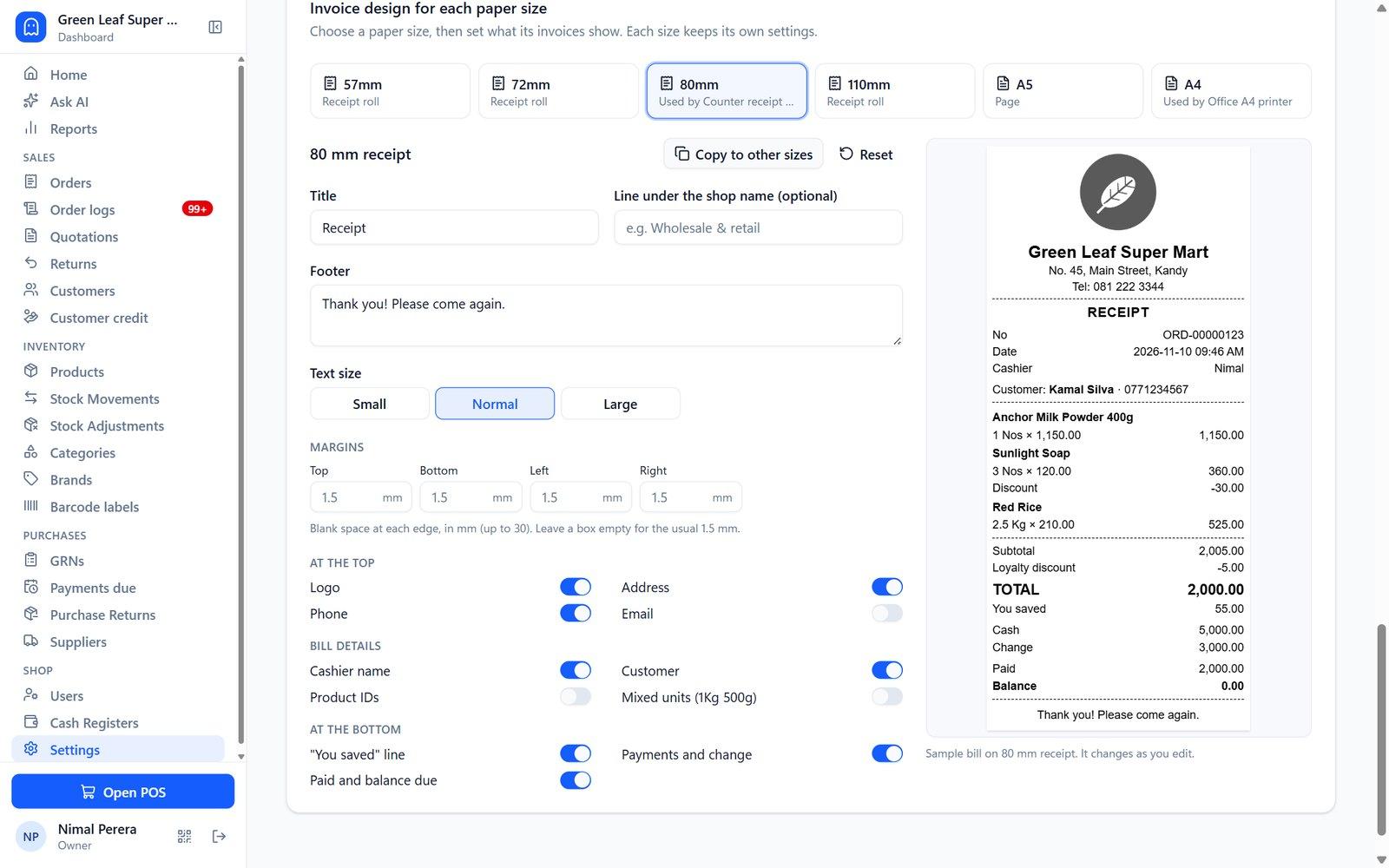
Print, or send the bill by WhatsApp, email or SMS
Design your bill for 57mm, 80mm or A4 paper with your logo, then print it or send it straight to the customer's phone.
- Receipt rolls and A4 / A5 pages
- WhatsApp and email as a PDF
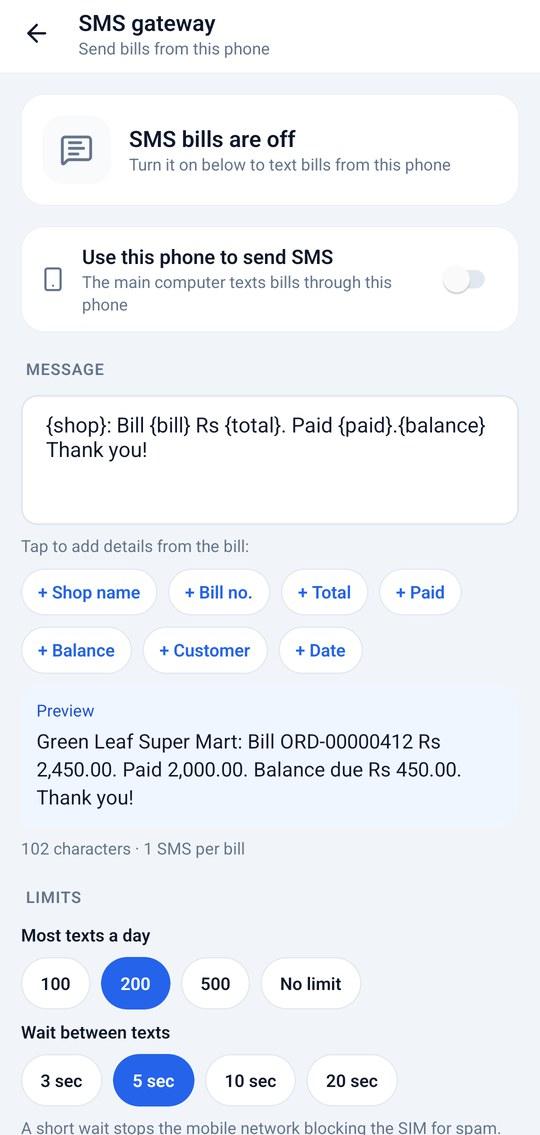
- SMS through your own Android phone
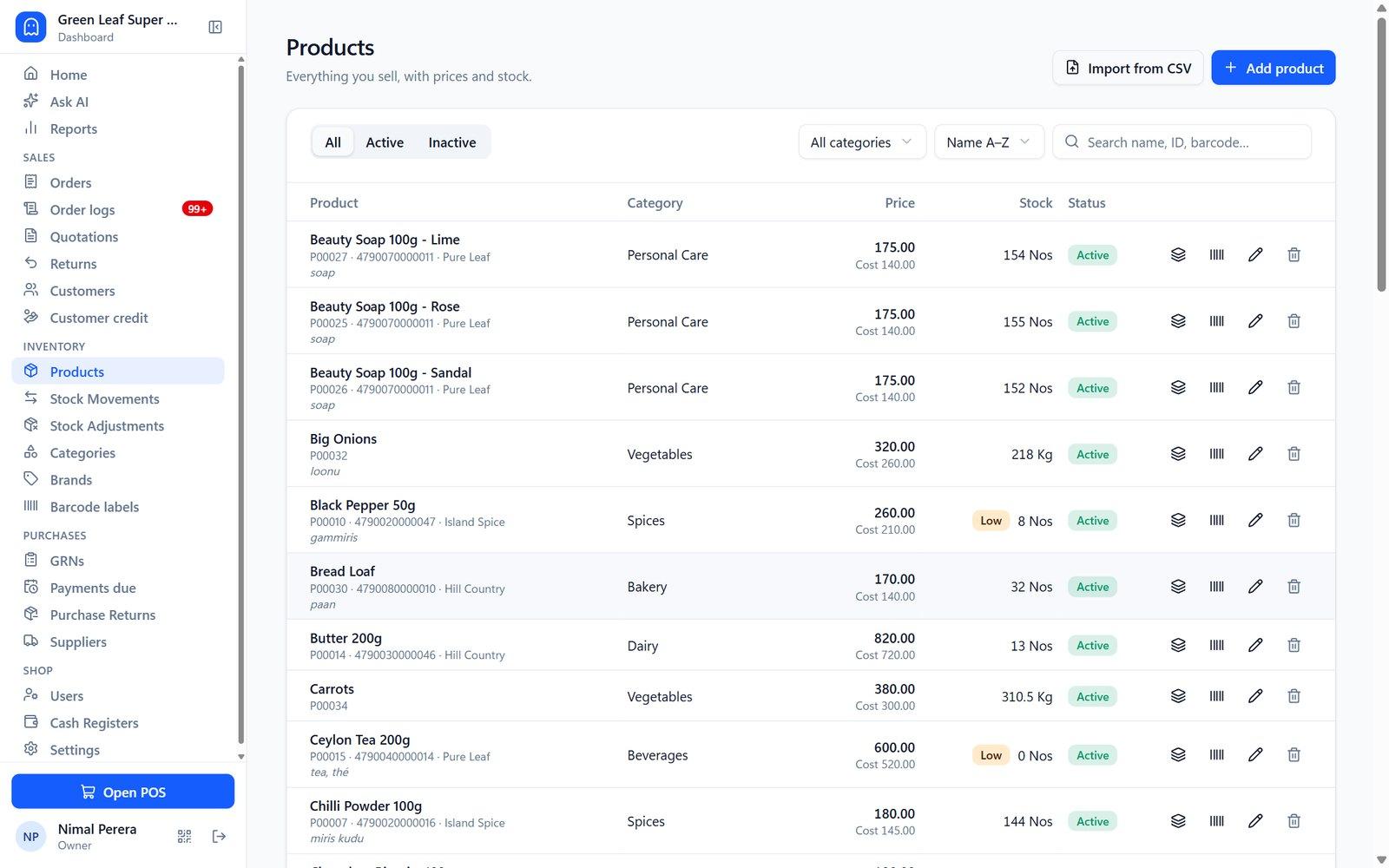
Stock
Know exactly what's on the shelf
Batches with expiry dates, low-stock alerts, CSV import, barcode labels and a full stock ledger that can't be quietly edited.
- Expiry tracking per batch
- Running low and out-of-stock lists
- Import your product list from Excel (CSV)
Purchases
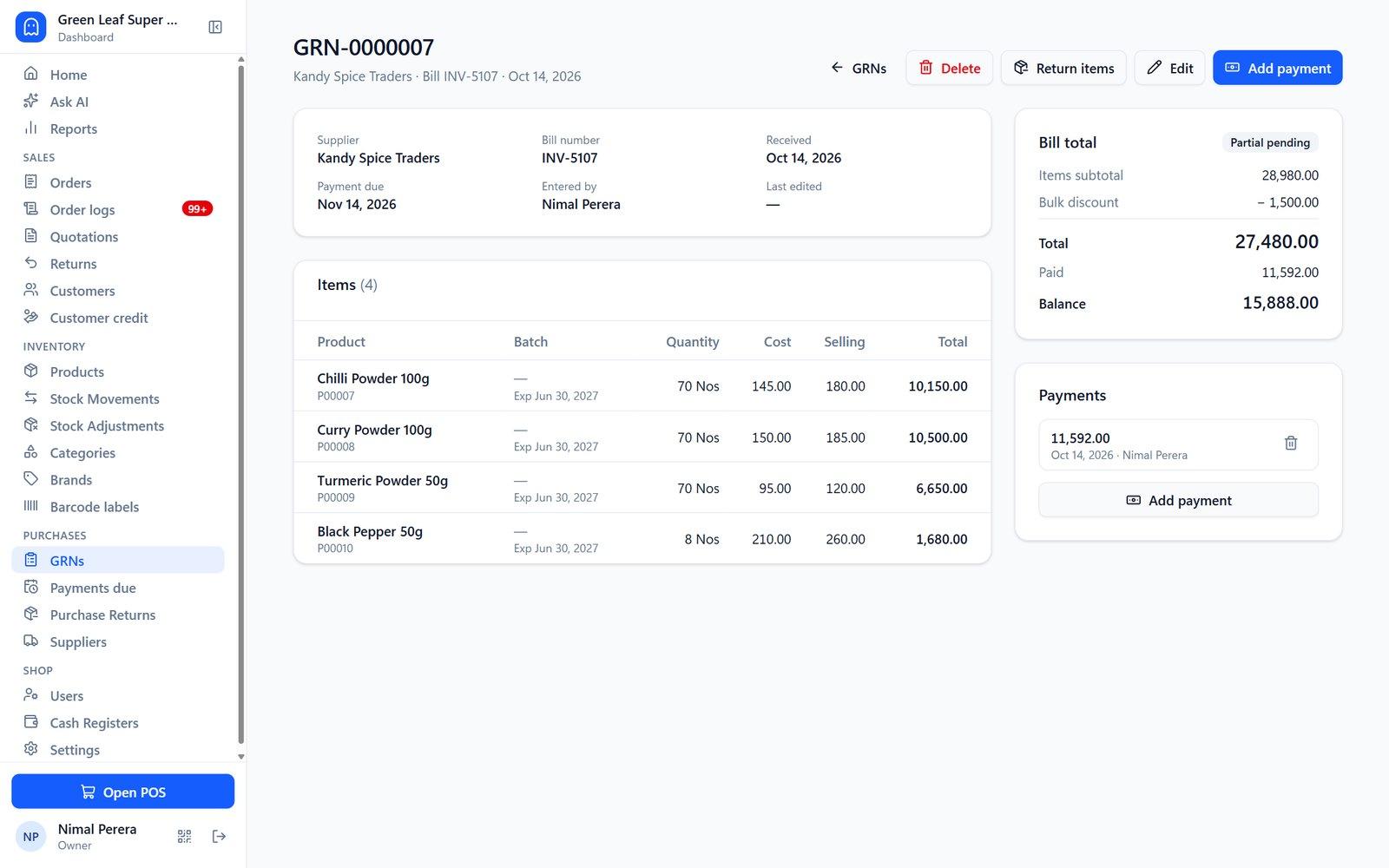
Supplier bills and payments in one place
Record goods received (GRNs), what you paid and what's still due, and return goods to suppliers.
- Payments due by date
- Pay suppliers from the cash drawer
- Purchase returns
Customers
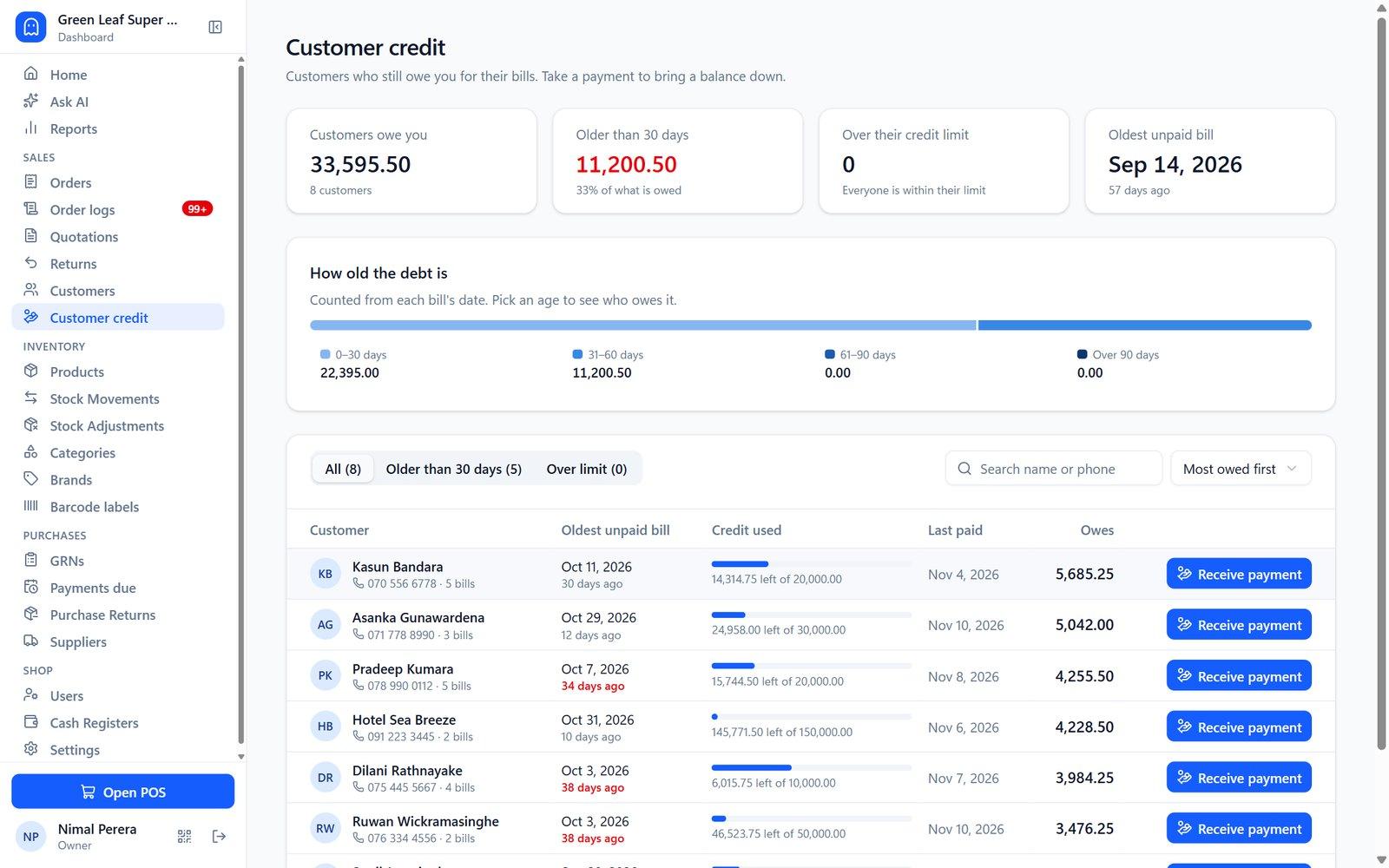
Credit customers without the notebook
Credit limits, who owes what and for how long, and taking old payments at any counter.
- Ageing: 30 / 60 / 90+ days
- Credit limits enforced at the counter
- Customer prepayments
Dashboard and reports
See your profit, not just your sales
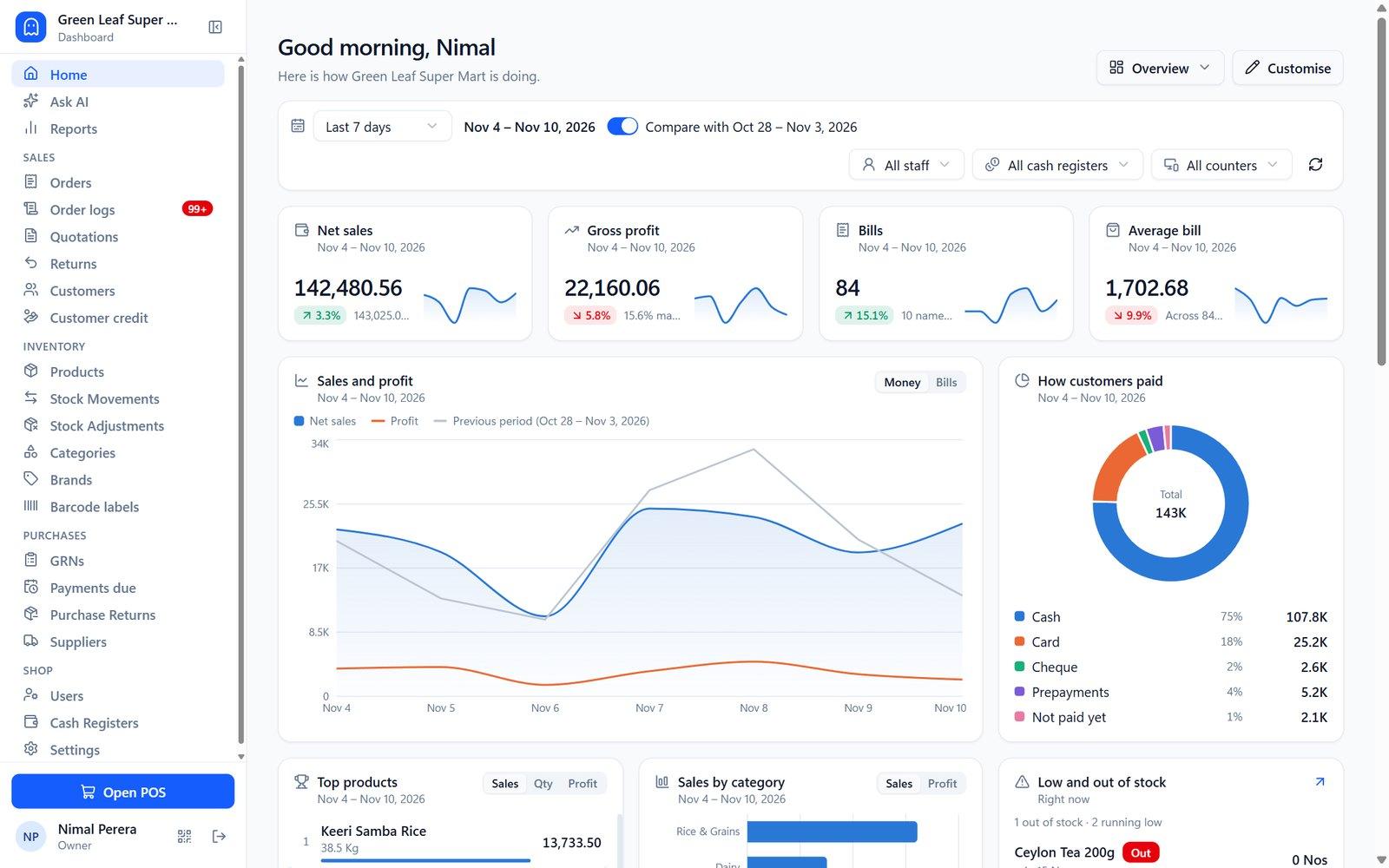
A dashboard you arrange yourself, five detailed reports you can export, and Ask AI to answer questions about your shop.
- Sales, cost and profit
- Daily, item, purchase and stock reports
- Export to Excel (CSV)
Android app
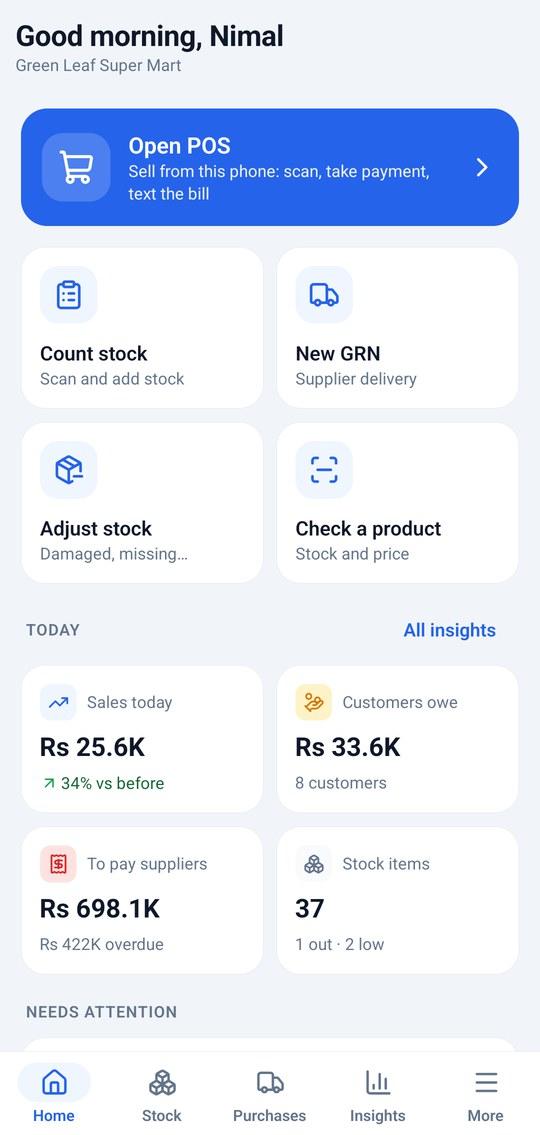
Your shop in your pocket
Pair a phone by scanning a QR code on the main computer. Count stock walking the aisles, receive goods, bill customers, send SMS bills and check today's sales.
Getting started
Up and running in a day
- 01
Message or call us
Tell us about your shop. We'll show you a free demo.
- 02
We install it
On your main computer, plus any extra counters and phones.
- 03
Add your products
Type them in, scan them on the phone, or import from Excel.
- 04
Start billing
We train your staff and stay a WhatsApp message away.

Light or dark
Easy on the eyes, day and night
Ghost Net follows your Windows light or dark setting, or you can pick one.
FAQ
Questions shop owners ask us
Do I need internet?
No. Ghost Net runs on your shop's own Wi‑Fi network. Internet is only needed for optional extras like WhatsApp or email bills and Ask AI.
Is there a monthly fee?
No. Ghost Net POS is a one-time payment. Message us on WhatsApp for the price for your shop.
What do I need to run it?
A Windows computer for the main counter. More computers and Android phones can join over the same Wi‑Fi.
Can I add more counters later?
Yes. Install Ghost Net on another computer on the same Wi‑Fi, choose "Sub counter" and approve it from the main computer.
What happens if my computer breaks?
Make a backup any time from Settings. It's encrypted with your password, and you can load it on a new computer.
Will you help me set it up?
Yes. Call or WhatsApp us and we'll help you install it, add your products and train your staff.
Want to see Ghost Net in your shop?
Message us on WhatsApp or call. We'll show you a free demo and answer every question — in Sinhala or English.